
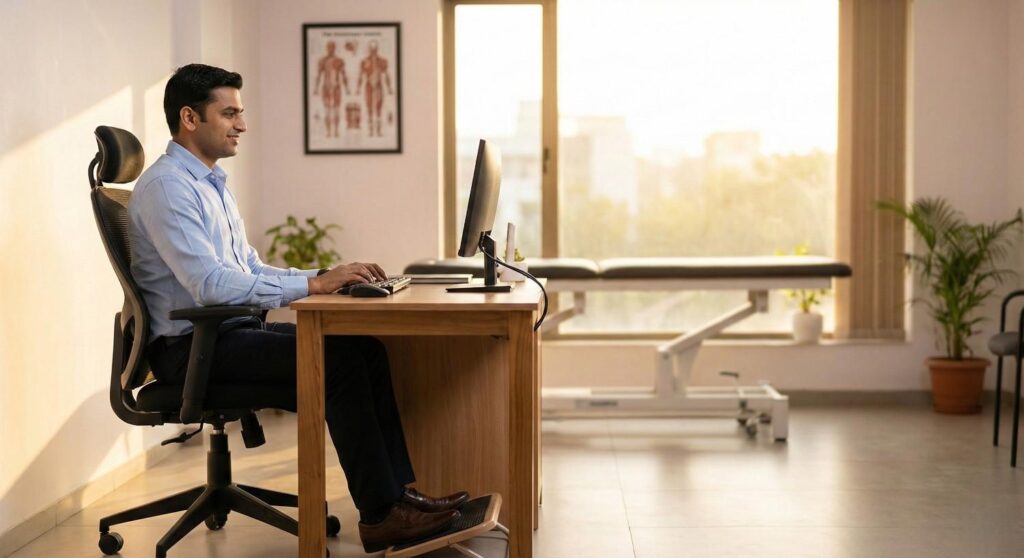
If you work in one of Ahmedabad’s fast-growing tech parks, manage accounts from a home office in Bopal, or spend your days on back-to-back video calls — your body is paying a price you may not see yet.
Research published by the International Journal of Environmental Research and Public Health found that over 67% of desk workers develop musculoskeletal pain within two years of starting a sedentary job. Most had no idea their workstation was the cause.
This is your complete guide to office ergonomics — from chair height to monitor distance, from standing desks to eye strain — and why getting these things right matters far more than buying an expensive chair. If you are already experiencing symptoms, our posture correction treatment in Bopal can help reverse the damage.
What Is Office Ergonomics, and Why Does It Matter?
Ergonomics is the science of designing a workspace around the human body — not forcing the body to adapt to the workspace. In an office context, this means your chair, desk, monitor, keyboard, and mouse should all be positioned so your muscles stay in their natural, relaxed state while you work.
When your spine is aligned, your shoulders are relaxed, and your wrists are flat on the keyboard, your muscles burn very little energy holding you up. When any of those things are off — monitor too low, chair too high, mouse too far right — your muscles compensate. Hour after hour. Day after day. Until the pain becomes impossible to ignore.
The World Health Organization classifies musculoskeletal disorders as the leading cause of disability across both developed and developing economies. For Ahmedabad’s growing professional class — engineers, analysts, designers, and entrepreneurs working long hours near SG Highway and SP Ring Road — this is not a future risk. For many, it is already happening.
The 5 Principles of Proper Ergonomics
Every well-designed workstation is built on five core principles. Understanding them gives you a framework to assess any desk setup — including your own.
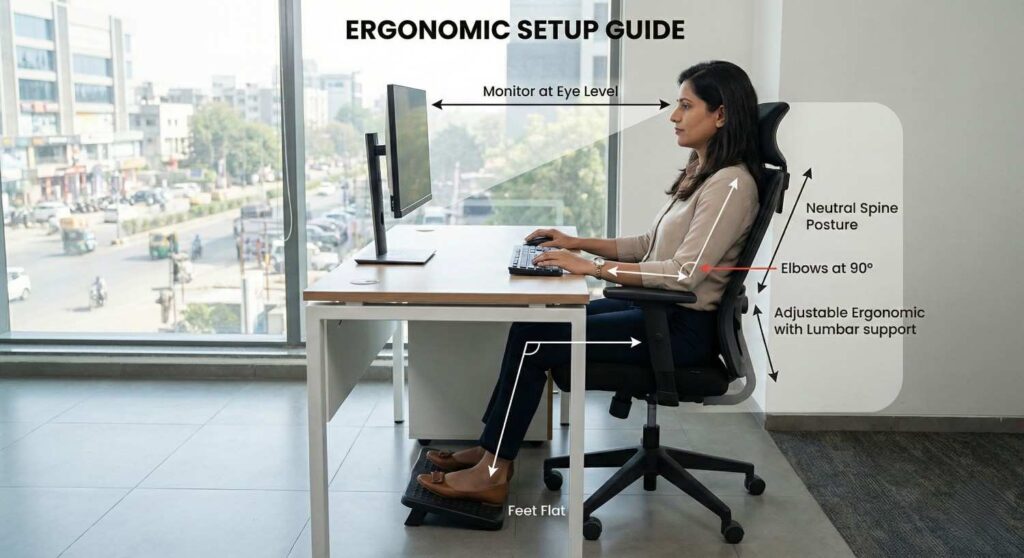
- Work in a neutral posture. Your joints should be neither fully bent nor fully extended. For the spine, this is the natural S-curve. For the elbow, roughly 90 degrees. For the wrist, flat — not angled up or down.
- Reduce excessive force. Gripping a mouse tightly, pressing hard on keys, or tensing your shoulders while typing are forms of unnecessary muscular load. Ergonomic accessories reduce the effort required for repetitive tasks.
- Keep everything within reach. Your keyboard, mouse, and phone should sit within a comfortable arc from your elbows — with your upper arms hanging relaxed at your sides. Repeated reaching beyond this zone loads the neck and shoulder with every movement.
- Work at the correct height. Both your desk and your monitor must be calibrated to your body, not a generic default.
- Reduce static postures with movement. The OSHA ergonomics guidelines recommend breaking static postures every 30-60 minutes — even a 90-second walk resets muscular load and circulation.
How to Set Up Your Workstation: A Step-by-Step Ergonomic Setup
These steps apply whether you’re at a corporate desk near Bopal’s business corridor or a home office setup you’ve been improvising since 2020. Work through them in order — each one builds on the last.
- Anchor your chair first. Sit fully back so your lumbar spine makes contact with the backrest. Adjust seat height until your feet rest flat on the floor and your thighs are parallel to the ground, knees at roughly 90 degrees. If your feet don’t reach — common on high desks — add a footrest. Do not raise the seat and lose lumbar contact.
- Drop your armrests to shoulder level. Armrests should sit just high enough to let your shoulders fall naturally downward. Set even two centimetres too high, they hike your shoulders upward all day.
“At our Bopal clinic, I consistently see patients whose chronic upper trapezius pain traces directly to armrests set just two centimetres too high.” — Dr. Kanaiya
- Set your desk at elbow height. Let your arms hang naturally at your sides. Your keyboard should sit right where your elbows rest. If the desk is fixed and too high, a keyboard tray solves it without replacing the desk.
- Position your monitor at eye level. The top of your screen should be at or slightly below eye level, directly in front of you — not angled to one side — and approximately 50-70 cm away. A monitor off to the side forces sustained cervical rotation that, over months, compresses the facet joints on one side of the neck.
- Place your keyboard and mouse close to your body. Leave a small rest pad of space between the keyboard and desk edge so your forearms can rest slightly, reducing wrist load. Your wrist should stay flat — not bent upward or downward — while typing. Integrating proper ergonomics and lifestyle modification habits here prevents repetitive strain injuries.
- Check the whole picture before you start work. Back supported. Feet flat. Elbows at desk height. Monitor at eye level. Wrists straight. Run this 10-second check every morning before you begin.
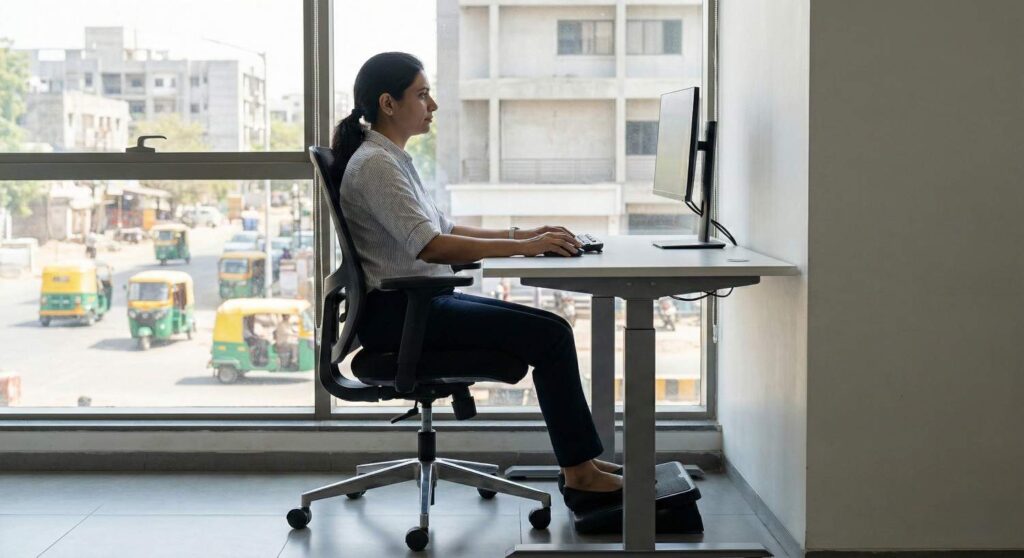
Standing Desks: The Case for Alternating Sitting and Standing
A standing desk is not magic. Trading eight hours of sitting for eight hours of standing simply exchanges one static posture for another — and your feet and lower back will tell you so.
The research is clear: it is static posture that causes damage, not whether that posture is seated or standing. The evidence-based protocol is roughly 30 minutes sitting followed by 15-30 minutes standing, cycling throughout the day.
When standing, the same rules apply:
- Elbows remain at desk height
- Monitor stays at eye level
- Feet are hip-width apart, weight distributed evenly
- An anti-fatigue mat reduces compressive load on the heels and lumbar spine
For professionals in Bopal who already commute 45 minutes each way along the Ahmedabad ring road, the argument for standing desk intervals is even stronger. Sitting in a car on top of eight hours at a desk means your hip flexors and lumbar extensors are under sustained load for most of your waking day. Breaking that pattern at the desk is one lever you actually control.
The Hidden Costs of Poor Ergonomics
Most ergonomic injuries are not dramatic. They are slow. A mild neck ache you write off for months. Wrist stiffness you assume will pass. Tension headaches you blame on stress. These are the warning signals poor workstation setup sends — and most people ignore them until the condition becomes clinical.
Anterior Head Carriage (Forward Head Posture)
- For every inch the head moves forward of neutral, effective cervical load increases by approximately 10 pounds.
- Three inches forward — common with a monitor too low or a laptop used at desk level — places 40+ pounds of continuous force on the cervical spine.
- Over time, this compresses cervical discs and inflames the suboccipital muscles, producing the persistent base-of-skull pain many desk workers normalise.
Lumbar Disc Loading
- Seated posture without lumbar support increases intradiscal pressure in the lower spine by approximately 40% compared to standing.
- Slouched sitting raises this further.
- Over years, this accelerates disc degeneration and is a primary driver of the herniated disc and sciatica cases we treat at our clinic.
Carpal Tunnel Syndrome and Repetitive Strain Injury
- Sustained wrist deviation combined with repetitive keyboard and mouse use gradually inflames the tendons and compresses the median nerve.
- Early symptoms include tingling in the thumb and first two fingers.
- Caught early, ergonomic modifications and physiotherapy resolve this efficiently; left untreated, it progresses to weakness and potential surgical referral.
The pattern across all three conditions is identical: small, correctable ergonomic problems left unaddressed become structural injuries. If you suspect your desk setup has triggered disc issues, seek clinical back pain and disc treatment in Bopal immediately.
Visual Ergonomics: What Your Screen Is Doing to Your Neck and Eyes
Screen-related discomfort is one of the most underdiagnosed components of office ergonomics. When a screen is positioned poorly, the body compensates through the neck and trunk — craning forward, tilting the head to reduce glare, rotating slightly to read off-center text. These postures are often held without any conscious awareness.
The 20-20-20 Rule Every 20 minutes, shift your gaze to something approximately 20 feet away for at least 20 seconds. This allows the ciliary muscles inside the eye to relax and reduces the compressive reflex tension that accumulates in the upper cervical muscles during sustained close-screen focus.
Screen Brightness Your monitor’s brightness should roughly match the ambient brightness of your room. A bright screen in a dim room forces continuous pupil constriction, causing eye fatigue that compounds into neck and upper shoulder tension.
Glare Management To minimize screen glare and protect your eyes, follow these environmental adjustments:
- Avoid placing your desk so a window sits directly behind or in front of your monitor.
- Position windows to the side instead.
- Use a matte screen filter if repositioning is not possible.
- Enable night mode settings in the evening to reduce blue light, which delays melatonin production and disrupts sleep quality.
Building a Workplace Ergonomics Program for Ahmedabad Teams
If you manage a team — in a formal office or hybrid — your employees’ ergonomic health is a business metric. OSHA data consistently shows that workplaces with structured ergonomics programs see reductions in musculoskeletal injury rates, lower absenteeism, and measurable productivity gains.
A practical program for companies in Bopal and Ahmedabad has four components:
- Ergonomic Assessment Evaluate each workstation — or conduct video reviews for remote staff — against the principles in this guide. A structured checklist ensures nothing is missed. For professional assessments, our Best Physiotherapy Clinic in Bopal offers workplace ergonomic consultations.
- Education Session A focused 30-60 minute session covering correct posture, workstation setup, early warning signs, and the 20-20-20 rule. Workers who understand why the principles matter apply them far more consistently.
- Targeted Accessories Not every fix requires significant spend. Laptop stands, document holders, wrist rests, and footrests address the most common risk factors at low cost. Reserve budget for height-adjustable desks and ergonomic chairs for employees with the highest daily screen time or who flag persistent pain.
- Quarterly Review and a Referral Pathway Ergonomic needs change as employees change desks, recover from injuries, or age. Build in a quarterly check-in. Critically, establish a clear referral pathway: employees reporting persistent pain should be directed to physiotherapy before symptoms become chronic.
The Real Cost of Ignoring Your Workstation Setup
The neck stiffness you feel at 6 PM did not start at 6 PM. It started accumulating at 9 AM — in millimetre-by-millimetre increments of forward head position, slightly hunched shoulders, and a mouse held four centimetres too far to the right.
The body absorbs these insults quietly for months, sometimes years, before the pain becomes loud enough to stop you. By that point, what was a postural habit has become a structural issue: compressed discs, sensitized nerve pathways, inflamed tendons.
The people who avoid this outcome are not the ones who bought the most expensive chair. They are the ones who corrected the fundamentals early and built the habit of moving regularly throughout the day.
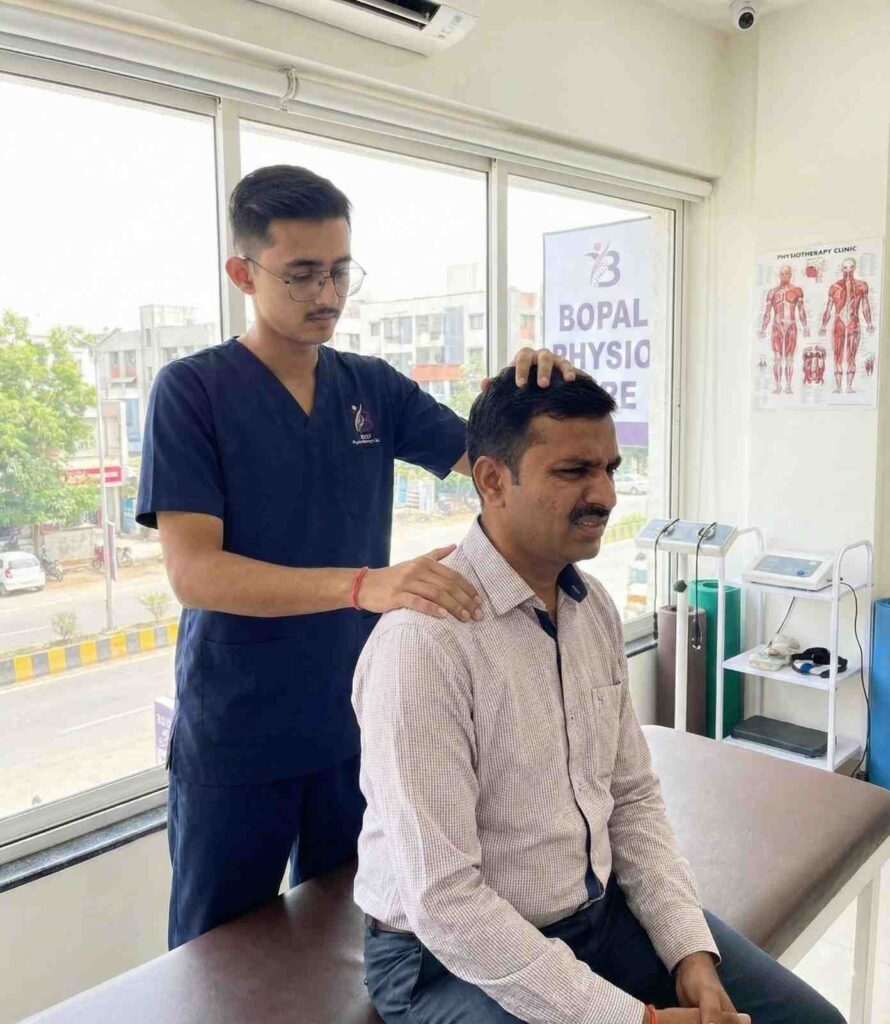
If you are already in pain — or want a professional assessment before the pain arrives — our physiotherapy team in Bopal is here to help. We work with desk professionals from across Ahmedabad who want to stop paying for their job with their health.
Book an ergonomic assessment or physiotherapy consultation at our Best Physiotherapy Clinic in Bopal today. Early action is the difference between a simple postural correction and a clinical injury.
Frequently asked question
Office ergonomics is the practice of adjusting your workspace — desk, chair, monitor, keyboard, lighting — to match your body's natural posture. The goal is to minimise muscular strain, reduce injury risk, and sustain comfort during long work hours. A properly ergonomic setup addresses posture, repetitive movement, and environmental factors simultaneously.
The four components are: (1) the physical workspace — desk height, chair support, equipment placement; (2) work tasks — structure, duration, and repetition; (3) the environment — lighting, temperature, noise; and (4) the individual — your body dimensions, existing health conditions, and work habits.
Position your monitor at eye level, directly in front of you, roughly arm's length away. This prevents the forward head position that loads the cervical spine. Pair this with proper lumbar support — the neck is the top of the postural chain, and it responds to what happens lower down. If neck pain persists despite a corrected setup, a physiotherapy assessment will identify what the adjustments alone cannot fix.
If one monitor is dominant, place it directly in front and the secondary screen to the side, angled slightly inward. If both are used equally, split them at centre with the gap directly ahead. Both screens should sit at the same height and distance. Mismatched heights between monitors is a common driver of one-sided neck and shoulder pain.
Yes. At minimum, confirm: feet flat on the floor or footrest, knees at 90°, lumbar supported, elbows at desk height, wrists flat on keyboard, monitor at eye level and arm's length, screen glare-free, and a movement break scheduled every 30-60 minutes. For a thorough workplace ergonomic assessment in Bopal, contact our clinic directly.
Yes — and early intervention works far better than waiting. Our Best physiotherapy clinic in Bopal treats cervical pain, lumbar disc issues, postural imbalances, and repetitive strain injuries caused by poor office ergonomics. We also assess and correct the workstation setup so the same problem does not return. We are located in Bopal and accessible to professionals across western Ahmedabad.
Ergonomics is vital because the human body is not designed to sit immobile at a desk for eight hours a day. Without ergonomic intervention, static postures place unnatural loads on the spine, compress spinal discs, and inflame tendons. In the workplace, poor ergonomics directly causes musculoskeletal disorders, which are the leading cause of missed workdays and reduced productivity globally. For employers and employees alike, investing in proper ergonomics prevents chronic pain, reduces healthcare and physiotherapy costs, and sustains mental focus and output throughout the day. It protects physical health from the hidden dangers of a desk job.
Your monitor should be placed directly in front of you, approximately one arm's length (50-70 cm) away. The top edge of the screen must sit exactly at or slightly below your natural eye level. If the screen is too low—a common problem for laptop users—you will subconsciously drop your chin, creating forward head posture that adds up to 40 pounds of load to your cervical spine. If the monitor is angled to the side, it forces sustained neck rotation, leading to unilateral muscle spasms and joint compression. Keep it centered, elevated, and at arm's reach.
A standard office desk typically sits between 28 and 30 inches high, but the recommended height depends entirely on your body. An ergonomically correct desk allows your elbows to rest comfortably at a 90- to 100-degree angle while your shoulders remain completely relaxed. Your forearms should be parallel to the floor, resting lightly on the desk or armrests. If the desk forces you to hike your shoulders up to type, it is too high, which will cause upper trapezius pain. If you cannot lower the desk, raise your chair and use a footrest to compensate.
The early warning signs of poor ergonomics include tension headaches originating from the base of the skull, stiffness in the neck and shoulders by mid-afternoon, and an aching lower back when standing up. You may also experience numbness or a tingling sensation in your fingers, particularly the thumb and index finger, which signals early median nerve compression (carpal tunnel). Red, dry eyes and an unintentional habit of leaning closer to your screen as the day progresses are also clear indicators. Do not ignore these symptoms; they are the precursors to chronic structural injuries requiring clinical treatment.